本文最后更新于 2026年6月8日 晚上
Hexo网站url自动推送到搜索引擎 建立网站之后需要将各个页面提交到搜索引擎中,如:Google Bing Baidu等等
为了方便搜索引擎获取的网站URL,可以通过站点地图(sitemap)来做一个指引,让搜索引擎自己去爬取我们的网页页面,但是这样会比较慢,还有一种方法就是通过网站提供的API来提交网页URL,通过自动化脚本来实现
由于我的Hexo放在云服务器上的,所以可以直接通过python脚本来自动推送
Hexo安装sitemap插件 需要通过读取sitemap来实现自动推送
1
2
npm install hexo-generator-sitemap
安装完成后
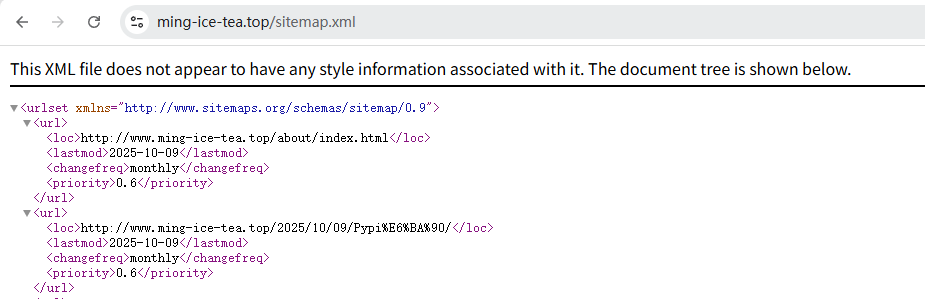
访问网站URL/baidusitemap.xml
URL/sitemap.xml
脚本实现 1 2 3 4 5 6 7 8 9 10 11 12 13 14 15 16 17 18 19 20 21 22 23 24 25 26 27 28 29 30 31 32 33 34 35 36 37 38 39 40 41 42 43 44 45 46 47 48 49 50 51 52 53 54 55 56 57 58 59 60 61 62 63 64 65 66 67 68 import requestsimport xml.etree.ElementTree as ETfrom datetime import datetime"https://www.ming-ice-tea.top/sitemap.xml" for child in sitemap_root:0 ].text"Key" "https://ssl.bing.com/webmaster/api.svc/json/SubmitUrlBatch?apikey=" + bing_api_key"Content-Type" : "application/json" }"siteUrl" : "https://www.ming-ice-tea.top" ,"urlList" : urls"Bing API response: \n" if response.status_code == 200 :"%Y-%m-%d %H:%M:%S" ) + ": URLs submitted successfully!\n" else :"%Y-%m-%d %H:%M:%S" ) + ": Error submitting \n" "Error info: " + response.content.decode('utf-8' ) + "\n" with open ('post.log' , 'a' , encoding='utf-8' ) as f:"\n" )"http://data.zz.baidu.com/urls?site=www.ming-ice-tea.top&token=Key" "Content-Type" : "text/plain" "https://www.ming-ice-tea.top/baidusitemap.xml" "utf-8" "ns" : "http://www.sitemaps.org/schemas/sitemap/0.9" }for loc in root.findall(".//ns:loc" , namespace)]"\n" .join(urls)"Baidu API response: \n" if response.status_code == 200 :": URLs submitted successfully!\n" else :"%Y-%m-%d %H:%M:%S" ) + ": Error submitting \n" "Error info: " + response.content.decode('utf-8' ) + "\n" with open ('post.log' , 'a' , encoding='utf-8' ) as f:"\n" )
脚本的思路:
获取sitemap.xml里面的内容,并将它格式化为如下的形式 1 2 3 4 urls = ["http://www.your-site.com/1.html" ,"http://www.your-site.com/2.html"
准备Bing和Baidu的API,根据官方提供的请求头内容编写相应的脚本内容
使用Post请求的方式将data和header发送到搜索引擎的管理网站上去
最后使用状态码判断,查看是否提交成功
最后我做了一个文件写入作为一个日志,如果是测试的话可以使用print()来测试是否上传成功
自动化 写一个auto.bash
表示每天凌晨两点执行auto.sh脚本,并且将回显输出到auto.log日志中
1 0 2 * * * "bash /path/auto.sh >> /path/auto.log"
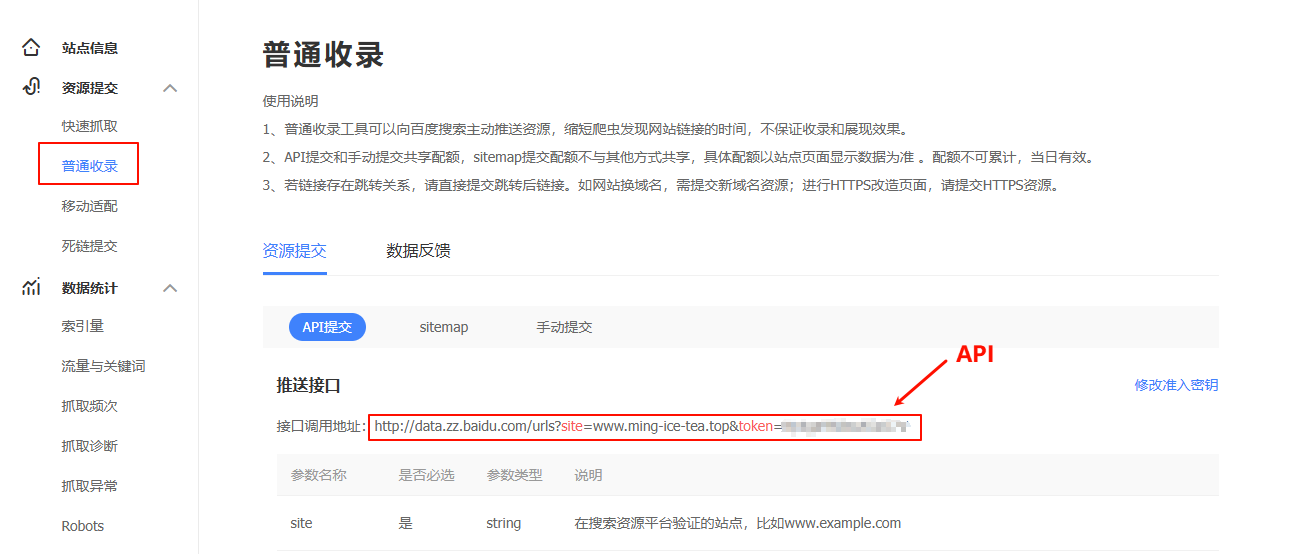
API的获取方式 百度 百度站长工具
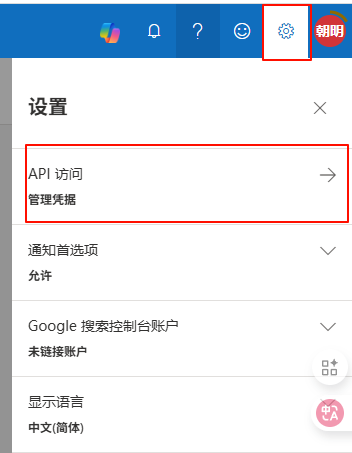
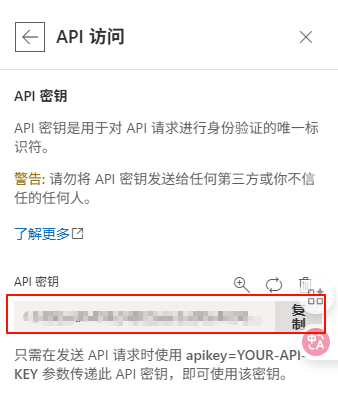
Bing Bing Webmaster
直接复制即可